Proxmox User Permissions for Backup
To perform backup and restore operations, the backup service requires a Proxmox user account with specific permissions. It is a security best practice to create a dedicated user for backup purposes rather than using the root account.
The recommended set of privileges can be granted by assigning the following roles to the backup user at the root (/) level of the Proxmox datacenter:
| Role/ Privilege | Purpose |
|---|---|
| PVEVMAdmin | Grants administrative permissions for virtual machines, necessary for snapshot creation and VM configuration access |
| PVESDNUser | Provides read-only access to the Software-Defined Network (SDN) configuration, required for proper operation |
| PVEDatastoreAdmin | Allows reading datastore contents and allocating space, which is essential for backup and restore tasks |
| Sys.Modify | This privilege is required to limit bandwidth. Allows creating/modifying/removing node network parameters and related system settings |
How to Configure Permissions in the Proxmox Web Interface
Log in to the Proxmox VE web interface.
Select your Datacenter object in the tree view on the left.
Navigate to the Permissions tab.
Click Add and then User Permission.
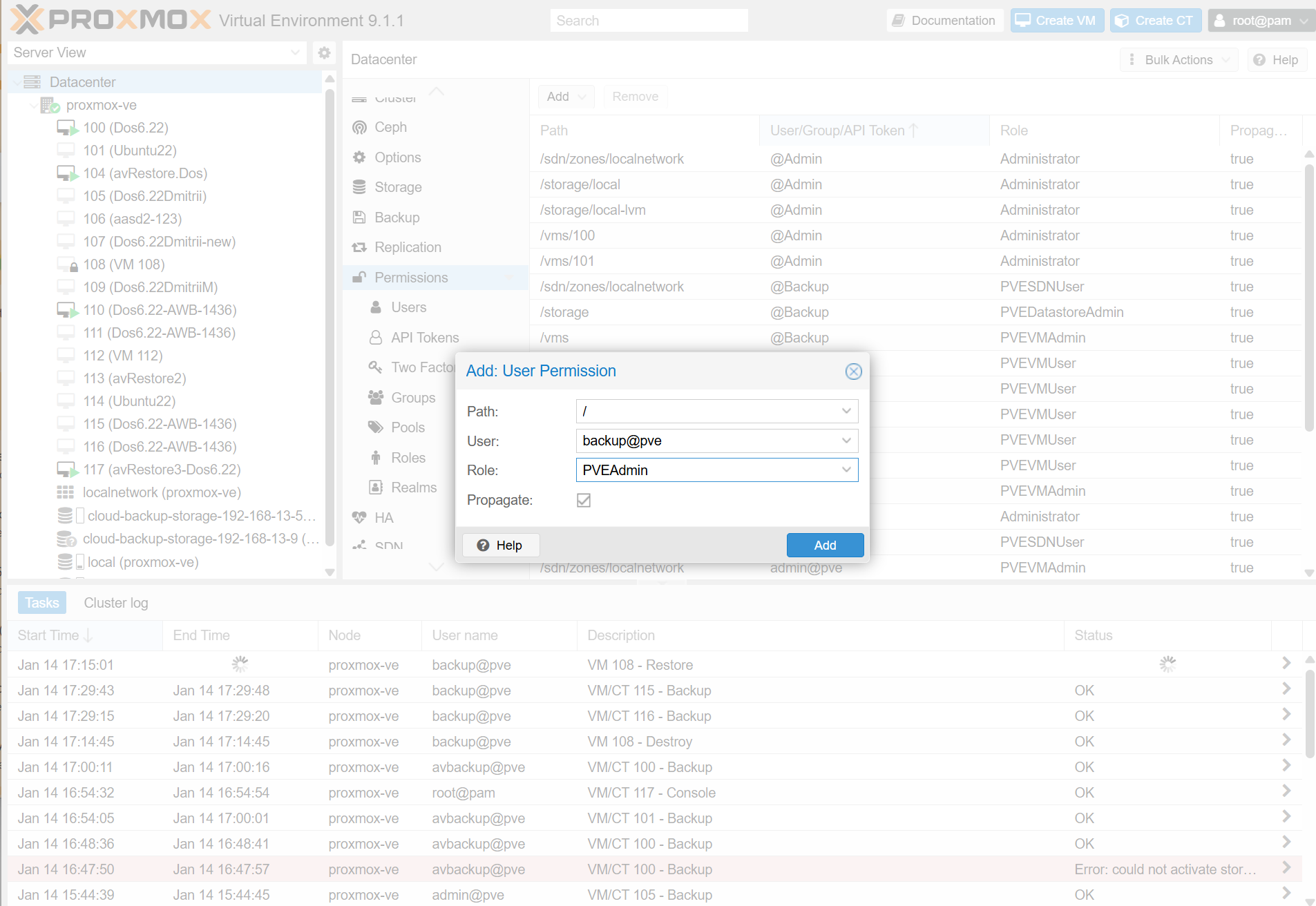
Path: Ensure this is set to / (the root).
User: Select or enter your dedicated backup user (e.g., backupuser@pve or backupuser@pam).
Role: Add the three roles listed above: PVEVMAdmin, PVESDNUser, and PVEDatastoreAdmin.
- Click Add to apply the permissions.
Alternative: For simplicity in testing environments, you may assign the user the built-in PVEAdmin or Administrator role, which includes all necessary permissions. However, for production, adhering to the principle of least privilege with the specific roles above is recommended.