Article ID: kb00366Last Modified: 11-May-2026
How to Exclude Disk on Proxmox VM from Backup
This guide explains how to exclude a disk on the virtual machine running on Proxmox VE from backup.
To exclude a disk from backup for a VM in Proxmox VE:
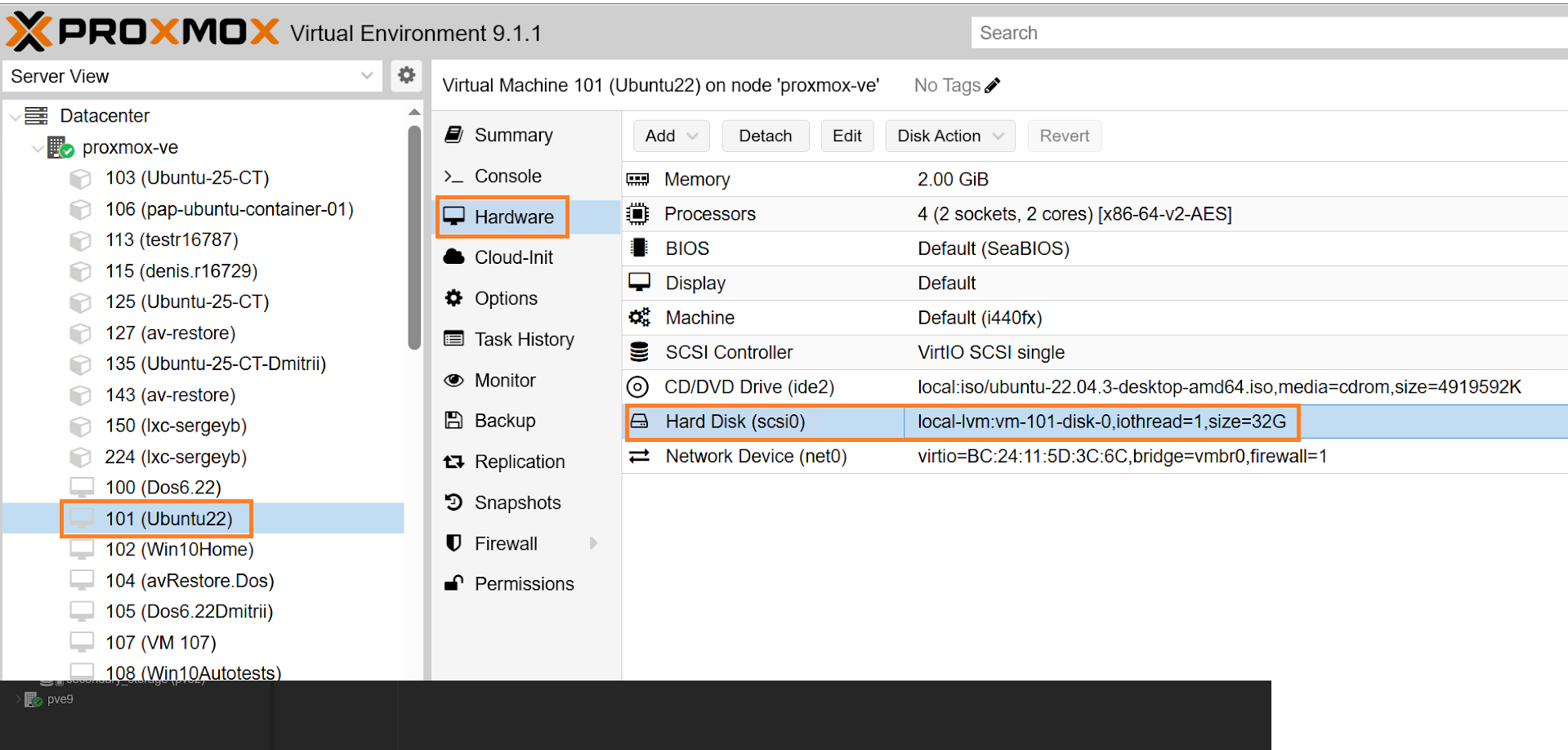
- Open the Proxmox Web Console.
- Select the VM.
- Go to Hardware.
- Double-click the disk you want to exclude.
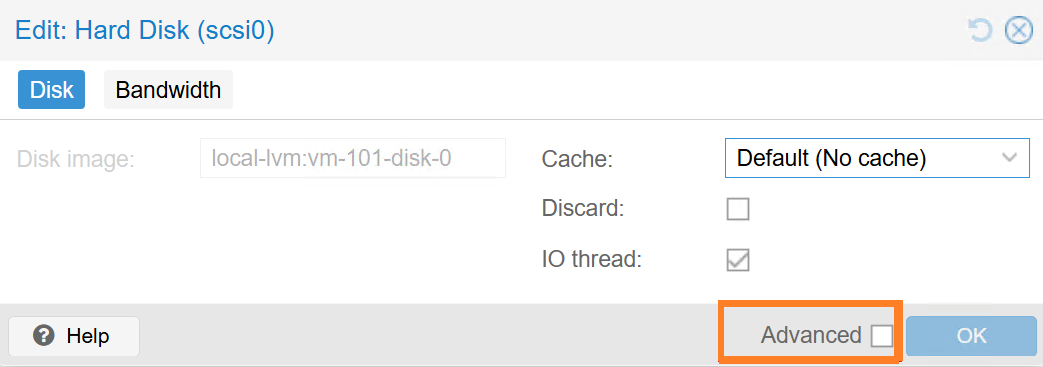
- Select Advanced.
- In the disk settings window, uncheck Backup.
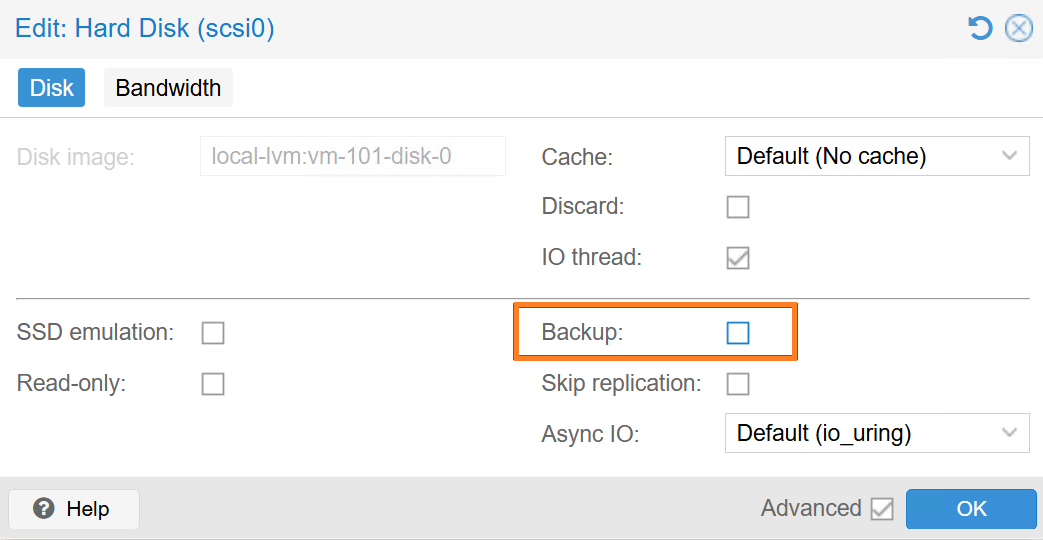
- Save the changes.
After that, the disk will not be included in vzdump / PBS backups.
Proxmox will internally add backup=0 to the VM disk configuration, for example:
scsi1: local-lvm:vm-100-disk-1,backup=0
You can also edit it manually in:
/etc/pve/qemu-server/<VMID>.conf
Example:
scsi1: /dev/disk/by-id/ata-ST4000...,backup=0