Gathering Detailed Logs
Low-level logs might not contain all the information required to resolve the issue. In these cases, it might be necessary to troubleshoot with more detailed logs, and an MSP360 Support Team representative can ask you to send logs with High/Debug log level.
Change Logging Level in Management Console
This method is intended for providers only.
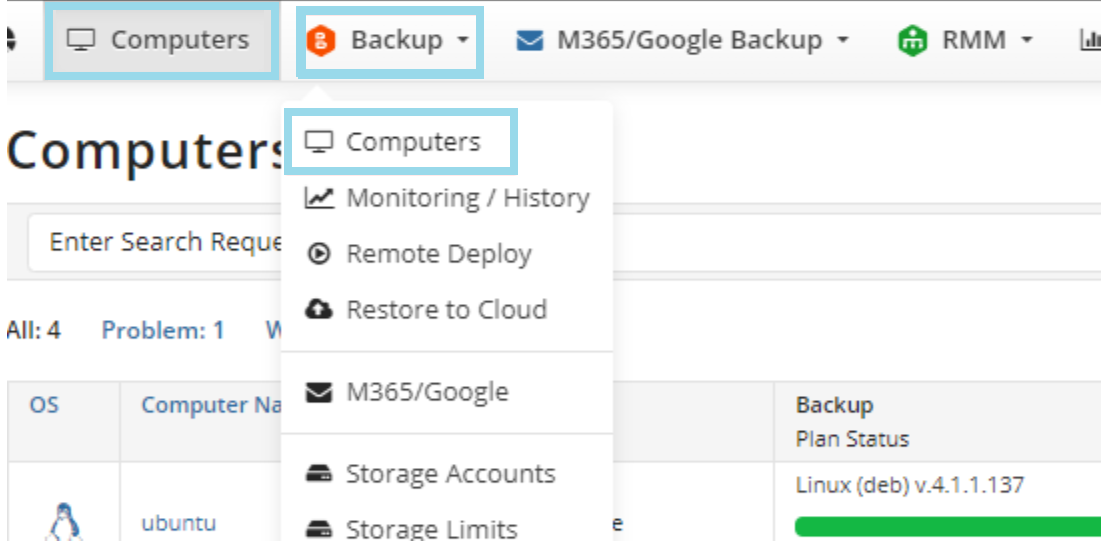
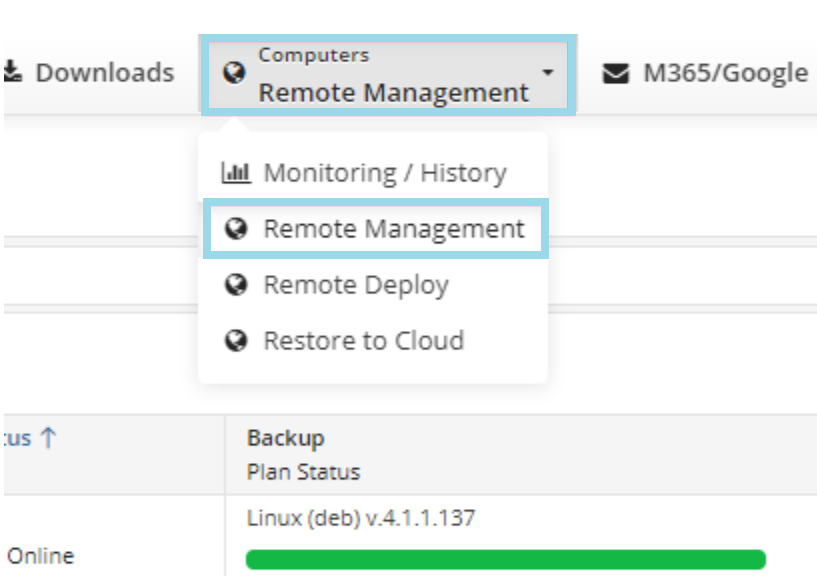
- In the Management Console, select Computers or Backup > Computers tab (Or Computers > Remote Management tab if you are using the classic user experience).
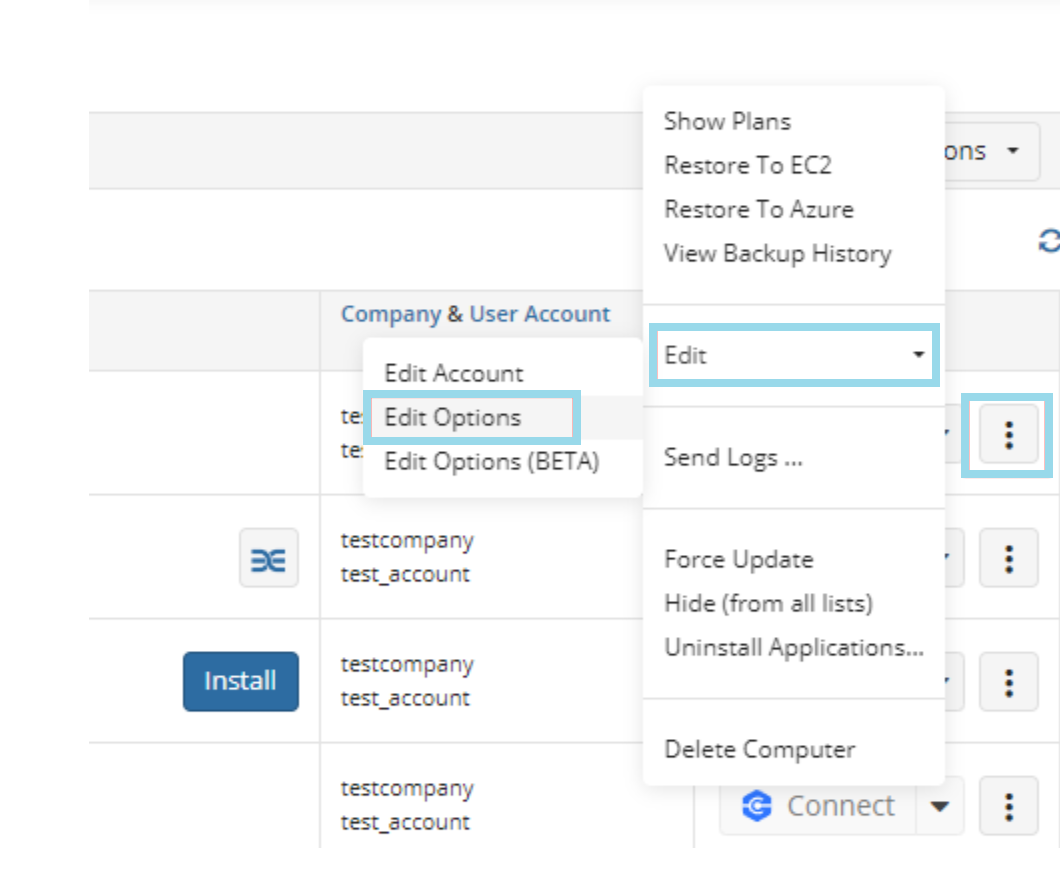
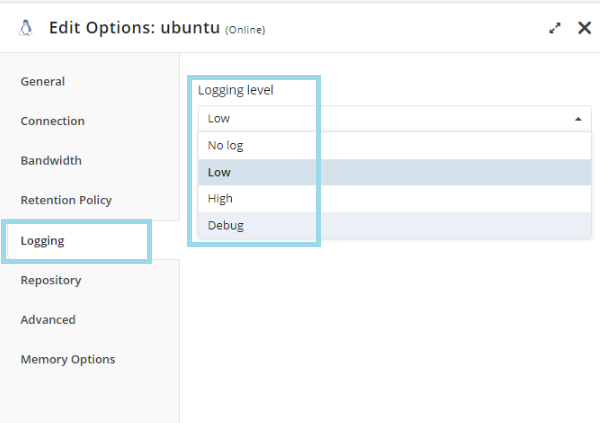
- Expand the action menu (three dots) next to the computer you want to change the logging level for, then select Edit > Edit Options.
- Open the Logging tab, then select the logging level.
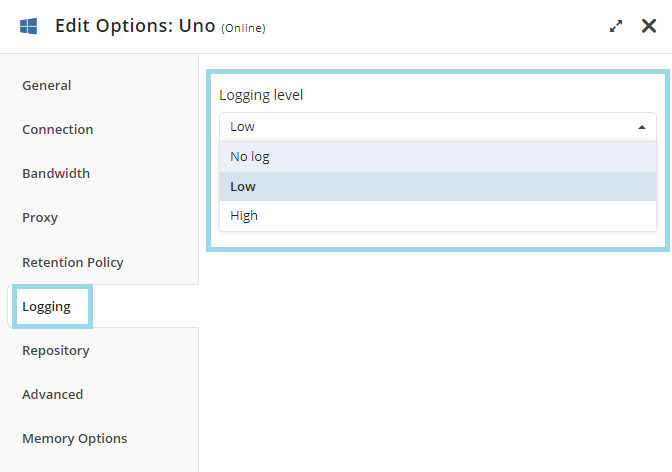
Available settings depend on the operating system of the computer.
Change Logging level with Backup Agent
Windows Backup Agent GUI
- Open Managed Backup Agent.
- Click Tools > Options.
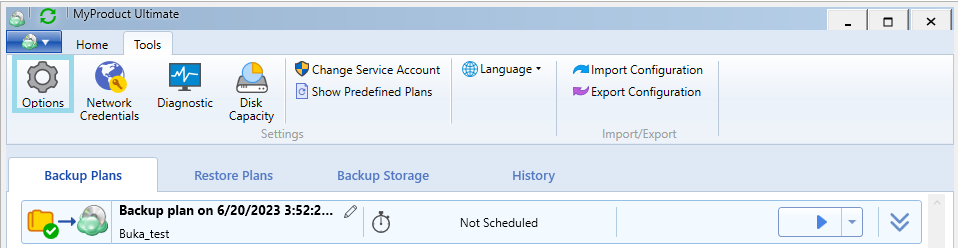
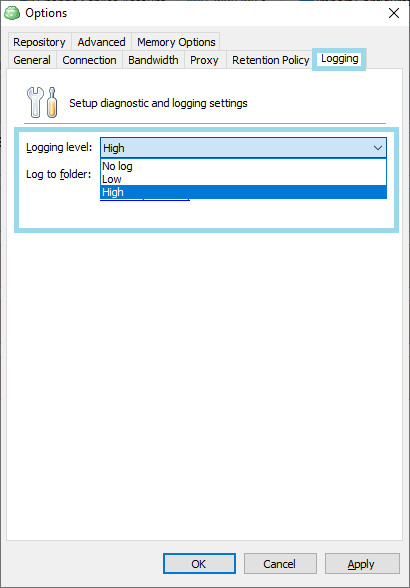
- Select the Logging tab.
- Change the logging level.
Windows CLI
- Open the Command Line Interface.
- Change your current folder to the folder where Backup Agent is installed. For example:
cd "C:\Program Files\MSP360\Online Backup"
- Enter the command to change the logging level. For example, setting the logging to high:
cbb option -logging high
Linux and macOS
Using Backup Agent GUI
- Open Managed Backup Agent.
- Click Settings.
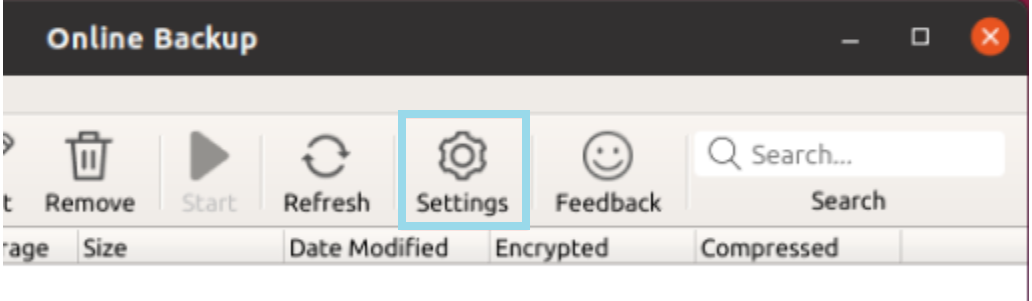
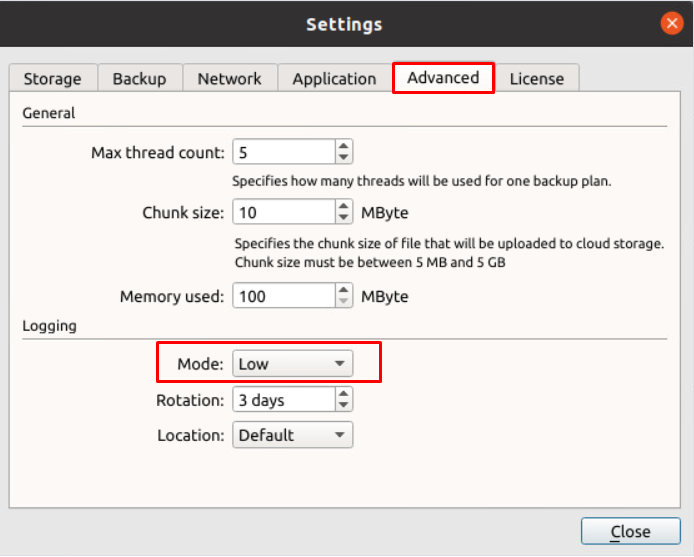
- Select the Advanced tab.
- Change the logging level under Logging > Mode.
Change Logging Level Using Terminal
You can use these commands in Terminal to change the logging level. Note that commands vary depending on the system you use (Linux/macOS), product version, and product name. You also need to specify whether you need high or debug level logs using the parameter High or Debug.
You might need to change Online Backup to the name of your Backup package.
For Linux
"/opt/local/Online Backup/bin/cbb" option -set logging -mode High
For macOS
"/Applications/Online Backup.app/Contents/macOS/cbb" option -set logging -mode High