How to Disable EWS Throttling in Exchange Online
Overview
Exchange Web Services (EWS) is an API that allows applications to access Exchange Online mailbox data, including email messages, calendars, contacts, and tasks.
To maintain service reliability and ensure fair resource consumption across all Microsoft 365 tenants, Exchange Online applies throttling policies that limit the number of concurrent requests and the amount of server resources a user or application can consume. Microsoft refers to these limits as EWS throttling policies.
For large-scale mailbox migrations, backup operations, or data synchronization tasks, these throttling limits can significantly impact performance. Microsoft provides a temporary mechanism that allows administrators to increase or remove EWS throttling for a limited period.
For more information about EWS throttling policies, see the Microsoft documentation:
- Microsoft Learn: EWS throttling in Exchange: https://learn.microsoft.com/en-us/exchange/client-developer/exchange-web-services/ews-throttling-in-exchange)
Important Notes
- Exchange Online administrators cannot directly view or modify throttling policy settings through PowerShell.
- Temporary EWS throttling relief is intended primarily for migration and bulk data processing scenarios.
- The change is temporary and can be enabled for 30, 60, or 90 days.
Disable EWS Throttling in Microsoft 365
- Sign in to the Microsoft 365 Admin Center.
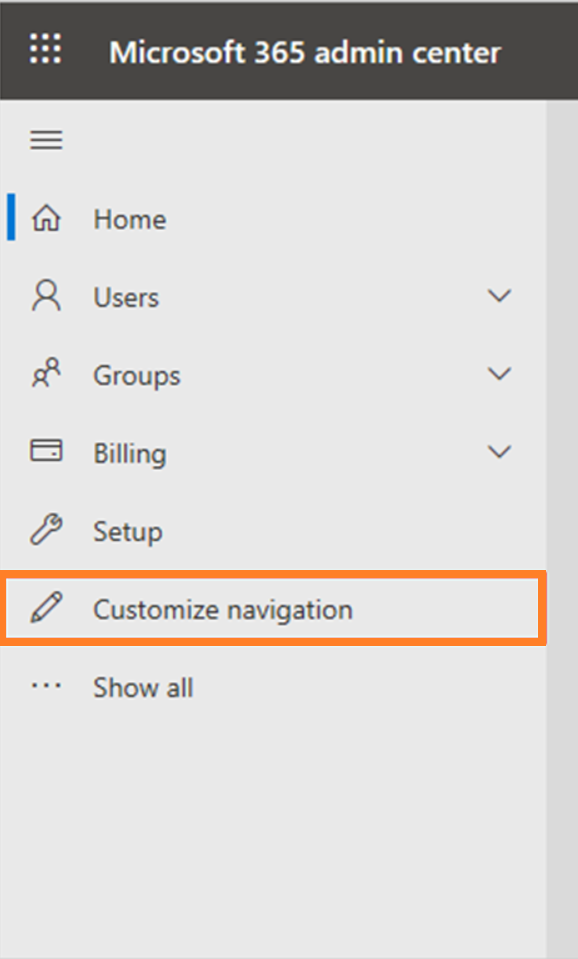
- Select Customize navigation.
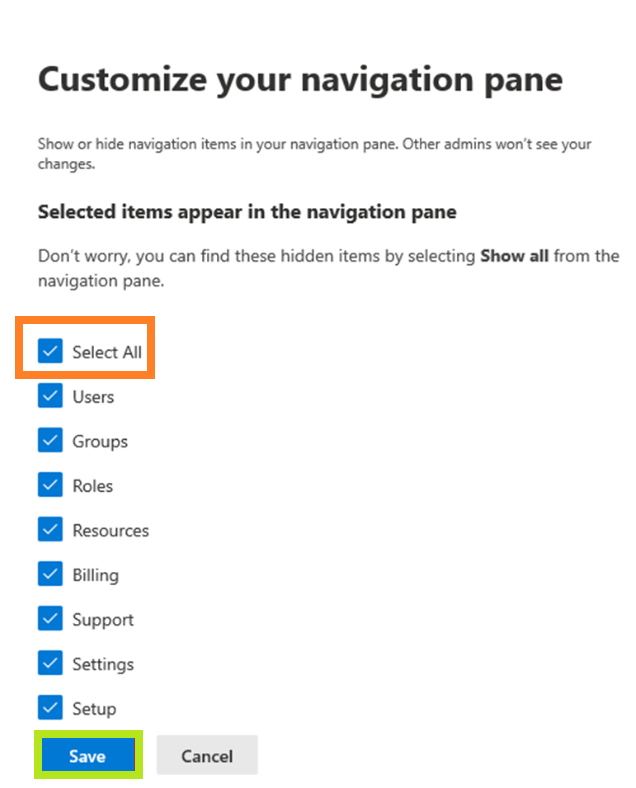
- Enable all available admin features and click Save.
- Open Help & Support and create a New service request.
- Search for EWS Throttling.
- Select Increase EWS Throttling Policy.
- Click Run Tests.
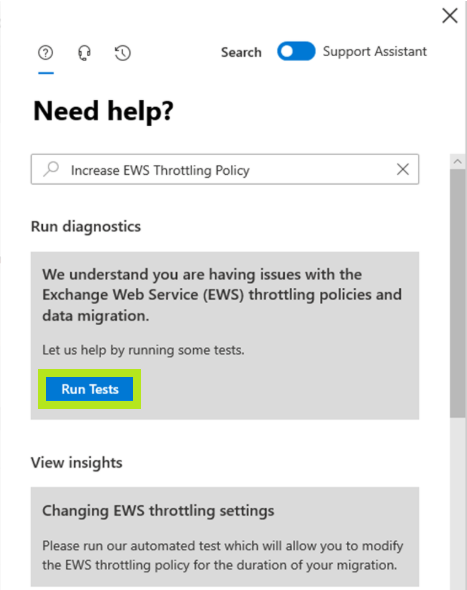
Wait for the diagnostic tool to complete.
Select the desired duration:
- 30 days
- 60 days
- 90 days
Accept the acknowledgment notice and click Update Settings.
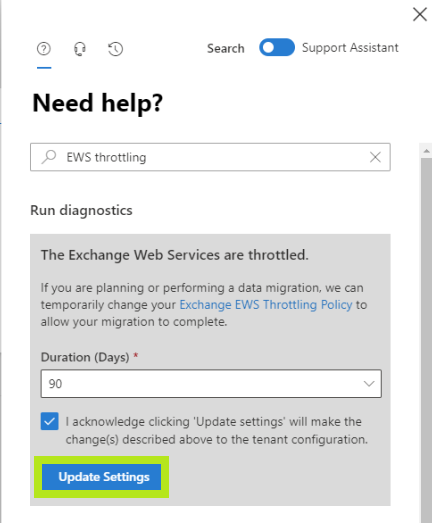
After the request is submitted, Microsoft will initiate the update and display a confirmation message similar to:
“The update to the Exchange Web Services (EWS) throttling policy has been initiated. The update will be completed within 15 minutes.”
- Wait approximately 15 minutes.
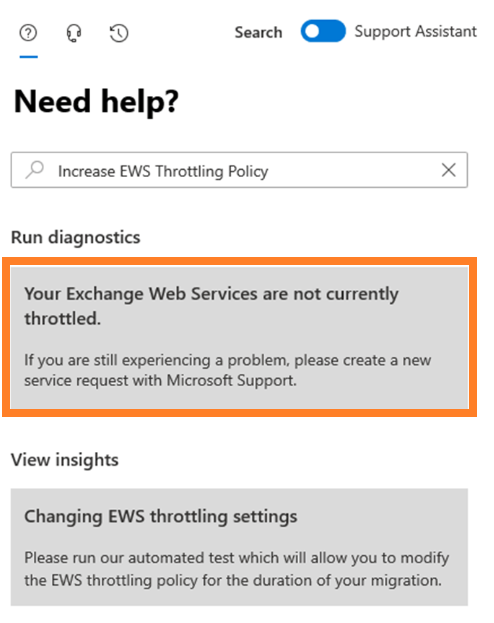
- Run the diagnostic test again to verify that throttling has been disabled.
Verification
Once the policy update has been applied, the diagnostic tool will indicate that EWS throttling has been disabled for the selected period. This temporary change can significantly improve the performance of:
- Microsoft 365 mailbox migrations
- Backup and recovery operations
- Mailbox synchronization tools
- Third-party applications that rely on EWS
Microsoft Guidance on EWS
Microsoft has announced the retirement of Exchange Web Services (EWS) in Exchange Online. Organizations using applications that depend on EWS should plan to migrate to Microsoft Graph where possible.
Additional information:
- EWS throttling documentation: https://learn.microsoft.com/en-us/exchange/client-developer/exchange-web-services/ews-throttling-in-exchange
- Microsoft support video: https://www.youtube.com/watch?v=LZEP1FLVR2M
As of Microsoft's current retirement roadmap, EWS disablement for Exchange Online begins in October 2026, with full retirement scheduled for April 2027.