Products: Managed Backup (Web), Microsoft 365 / Google Workspace Backup
Article ID: kb00365Last Modified: 16-Oct-2026
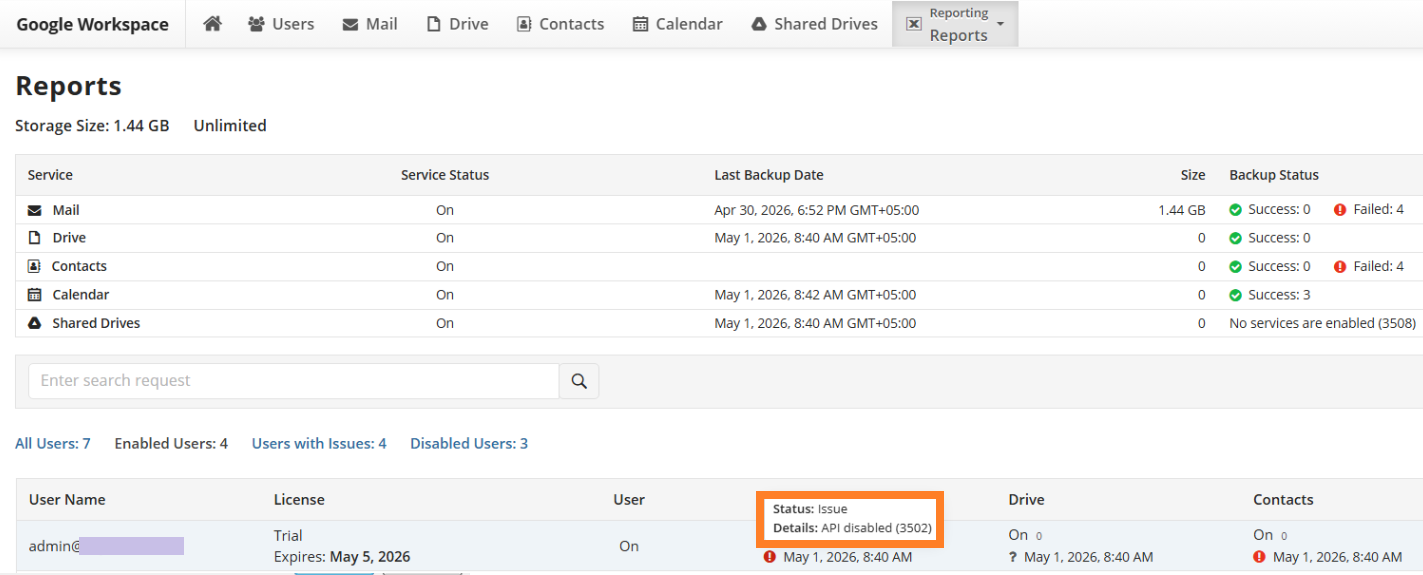
API Disabled (3502)
Situation
A service backup fails with the following error message:
API disabled (Code: 3502)
Cause
The issue may occur due to one of the following reasons:
- OneDrive is not licensed in Microsoft 365. Ensure that a valid Microsoft 365 license is assigned to the user and has not expired.
- The user is being converted to a Shared Mailbox in Microsoft 365. The conversion process from a regular user mailbox to a Shared Mailbox has been initiated. During the conversion, services such as OneDrive may become unavailable. This process may take time to complete, and no action is required until it finishes.
- The user account is blocked or suspended in Microsoft 365 or Google Workspace. The user account may have been disabled, suspended, or removed (for example, if the employee has left the company). In this case, no action is required.
- The service is not available or not enabled. Some Microsoft 365 or Google Workspace plans do not include certain services (for example, email without cloud storage). In addition, the service may not be activated if the user has never accessed it (e.g., the user has never opened their Drive). In such cases, the required service may not be available, resulting in an API Disabled error.
- The API is disabled for the user. Access to the API may be restricted by an administrator in Microsoft 365 or Google Workspace. This is a scenario that may prevent the service from functioning properly.
Solution
- Navigate to Reporting reports on the Service Dashboard to see the affected users.
- Disable the affected user or service backup on Users.
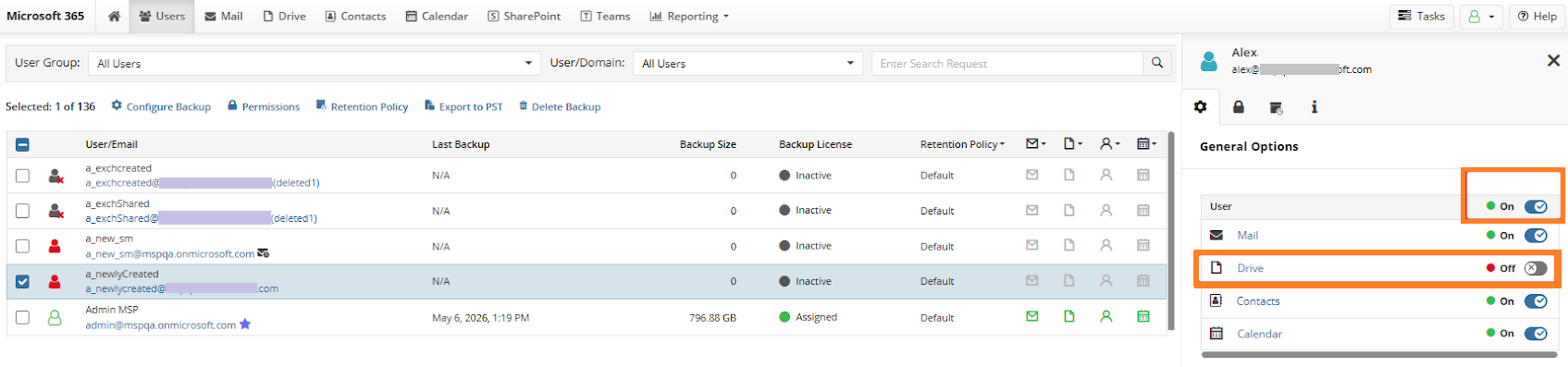
You can enable the backup again if the problem is resolved.