The Remote Name Could Not Be Resolved: mspbackups.com
Situation
When trying to restore an image-based backup via a bootable USB drive, once you boot and try to log in to Backup Agent, you may encounter the following error: The remote name could not be resolved: ‘mspbackups.com’.
Cause
This error may occur if the IP address configuration is missing, for example, if the machine is in a network without a DHCP server.
Solution
As a solution, you can configure a static IP address via the command prompt:
- Boot from USB, go to Tools and select Command Prompt.
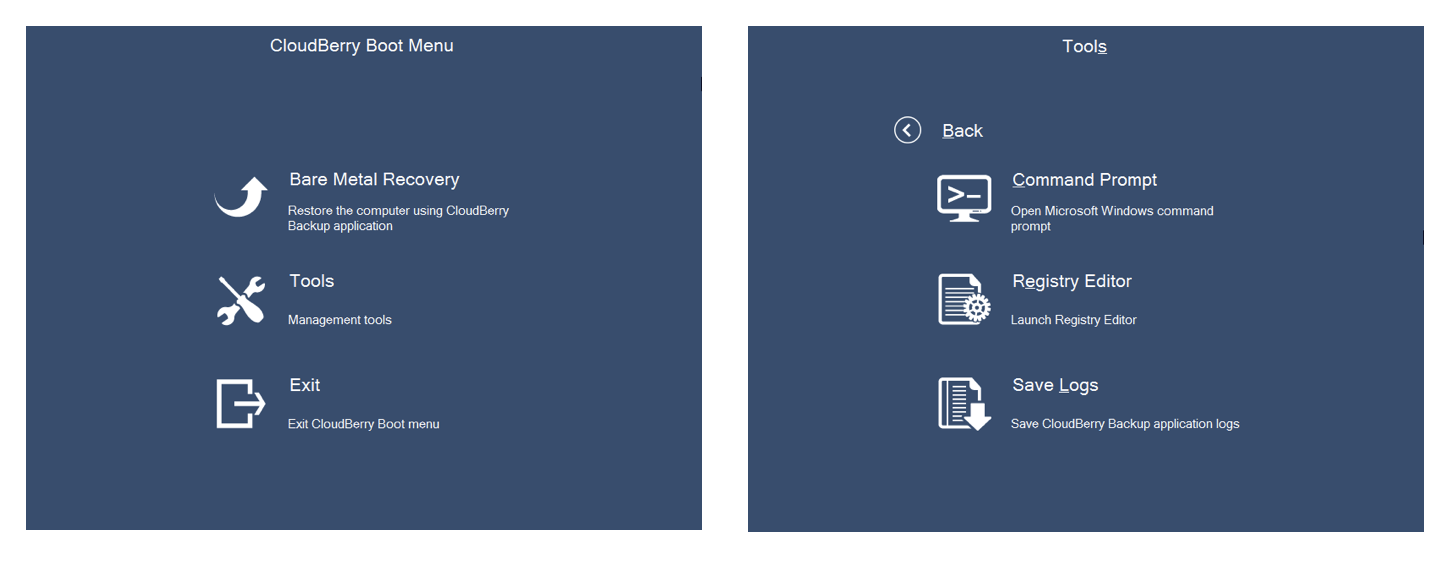
- Check the IP address with the following command:
netsh interface ipv4 show config
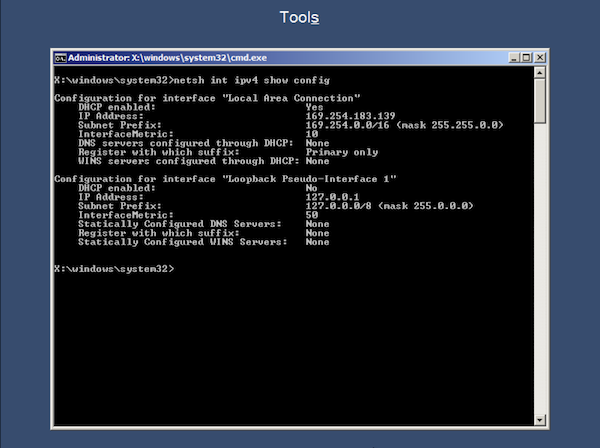
Once you execute the command, check the name of the network interface you are going to configure (e.g., “Local Area Connection”).
Assign a static IP address with the following command:
netsh interface ipv4 set address name="YOUR INTERFACE NAME" static IP_ADDRESS SUBNET_MASK GATEWAY
If DNS is needed, use the following command:
netsh interface ipv4 set dns name="YOUR INTERFACE NAME" static DNS_SERVER
Exit the command prompt and select “Bare Metal Recovery”. It may take some time to launch the CloudBerry agent software.
Contact Us
- Tech questions
- Sales questions: sales@msp360.com.