Why does Backup Agent software not show my backups?
There are several reasons why the backup data is not displayed in the Backup Storage tab of the Backup Agent application. Below, each of the typical scenarios is described alongside its resolution.
Situation 1
You’re using an outdated version of Backup Agent software that does not support the required backup type or format.
Solution
Update Backup Agent software to the latest version.
Situation 2
You are logged in under the wrong Managed Backup User.
Solution
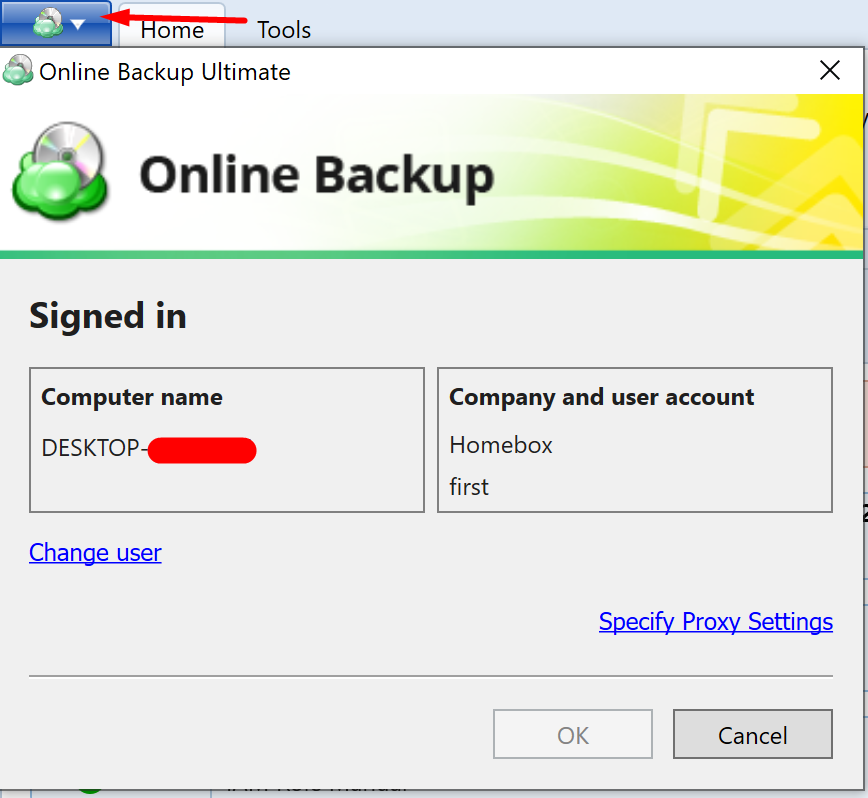
Make sure that you’ve logged into Backup Agent software under the same Managed Backup User as the one who performed the backup. You can check the logged-in user in the “Online Backup Account” section:
Situation 3
The Backup Agent license type does not support the required backup type.
Solution
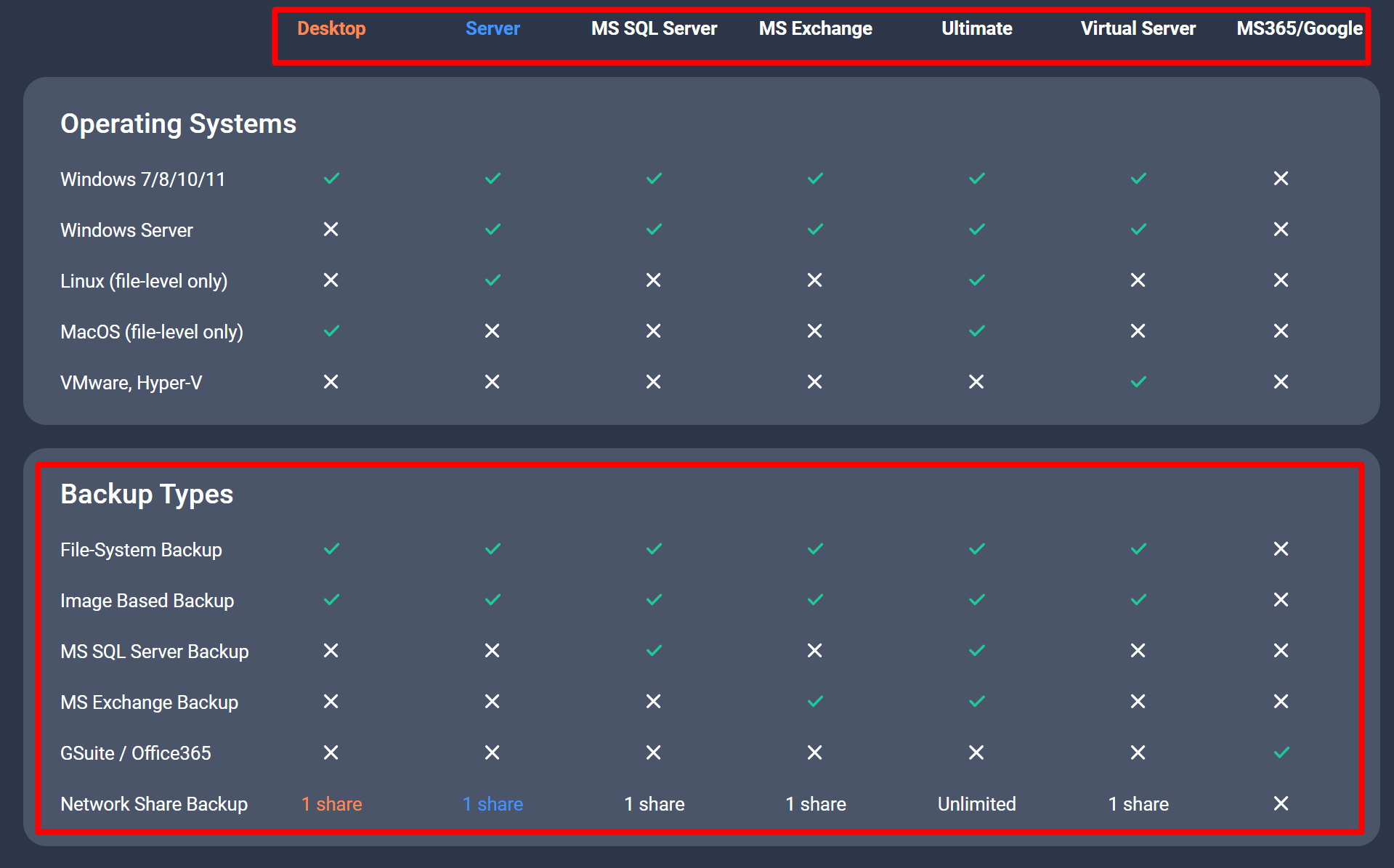
Check that your current Backup Agent license type supports the required backup type and perform the necessary adjustments:
Situation 4
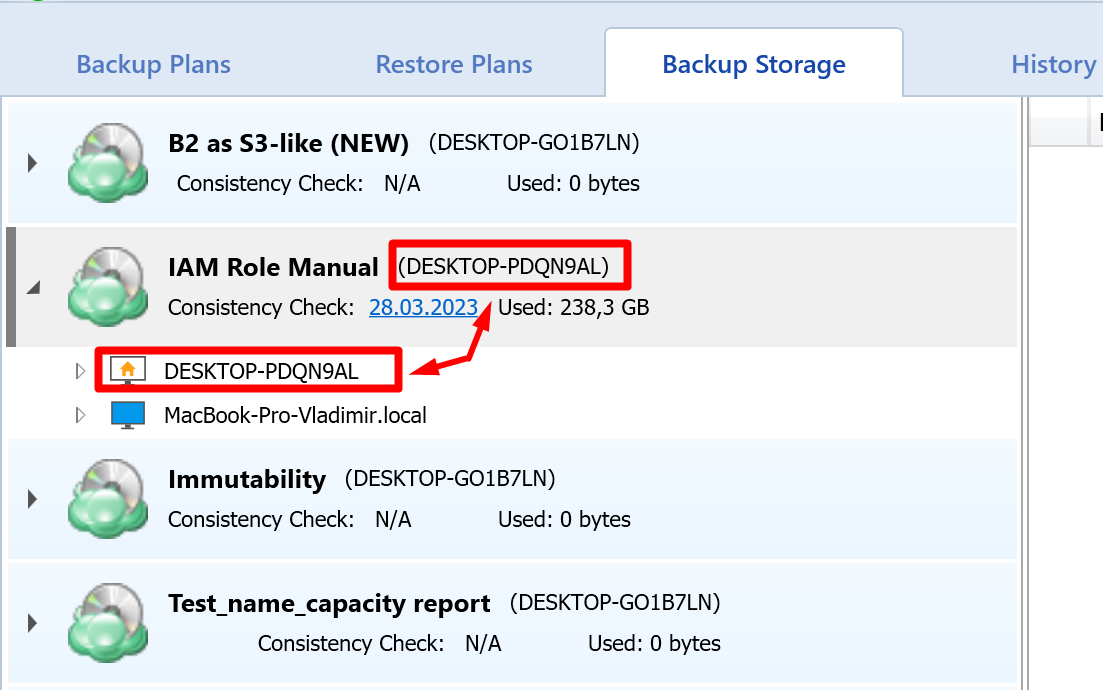
The current backup prefix does not correspond to the original prefix that was used during the backup.
Solution
Make sure that the backup prefix is the same as the one used for the original backup:
For more information and tips, refer to this article.