Insufficient Permissions to Limit Bandwidth (code 1981)
Situation
A backup plan finishes with the following info message: Insufficient permissions to limit bandwidth (Code: 1981) The Proxmox backup job could not apply the bandwidth limit because the account used to connect to the Proxmox server does not have the 'Sys.Modify' privilege...
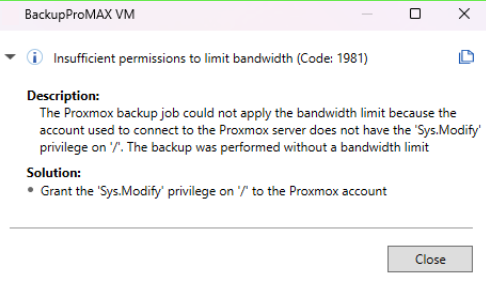
Cause
The backup is completed successfully without the bandwidth limit. The bandwidth limit cannot be applied because the account used to connect to the Proxmox server does not have the Sys.Modify privilege. Sys.Modify allows creating/modifying/removing node network parameters and related system settings, so scope it carefully rather than granting it at the root path (/) unless the user truly needs cluster-wide access.
Solution
If you want the next backup to be completed using the bandwidth limit, grant the Sys.Modify privilege to the account used to connect to the Proxmox server.
In Proxmox, Sys.Modify is a privilege, but privileges cannot be assigned directly. You can grant them through a role (built-in or custom). PVEAdmin intentionally does not include Sys.Modify.
To grant Sys.Modify through the Proxmox console UI:
- Open Datacenter → Permissions → Roles.
- Click Add.
- Create a custom role, for example:
- Name: NodeAdmin
- Privileges: Sys.Modify (plus any others you need)
- Go to Datacenter → Permissions.
- Click Add → User Permission. Select:
- User or group
- Path (for example /, /nodes/node1, or a specific scope)
- Your custom role (NodeAdmin)
- Enable Propagate if needed
- Save your changes.
To grant Sys.Modify using the CLI:
- Create a role containing Sys.Modify:
pveum role add NodeAdmin --privs "Sys.Modify"
- Assign it to a user:
pveum aclmod / -user user@pve -role NodeAdmin
Or for a specific node only:
pveum aclmod /nodes/node1 -user user@pve -role NodeAdmin