Windows Firewall Inbound Port Configuration for Proxmox Backup (code 1962)
Situation
An image-based backup plan finishes with the following warning: Proxmox connection failed because TCP port 8007 or 3260 is blocked (Code: 1962). Windows Firewall blocks required inbound connections from the Proxmox host on...
Cause
The failure occurs because port 8007 or 3260 is blocked by Windows Firewall for incoming connections from the Proxmox host.
If you are using a third-party firewall, the restriction may be configured there instead.
Solution
Click the solution link in the warning message to automatically configure the Windows Firewall inbound rule. This action creates a new inbound rule in Windows Defender Firewall allowing traffic on ports 8007 and 3260.
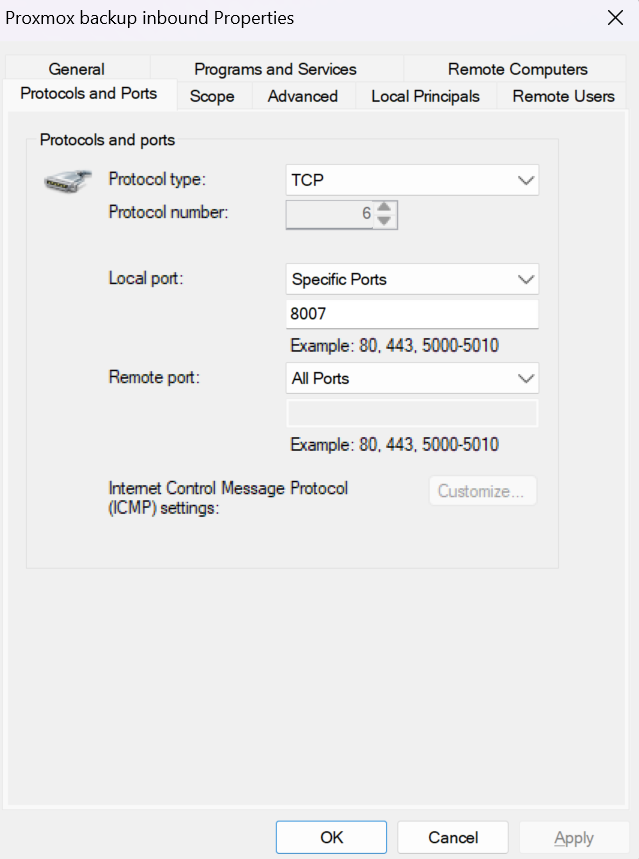
You can also create a new inbound rule manually according to your requirements as described below.
If you are using a third-party firewall, refer to the firewall provider's documentation to resolve the issue.
How to Create an Inbound Rule for Windows Defender Firewall
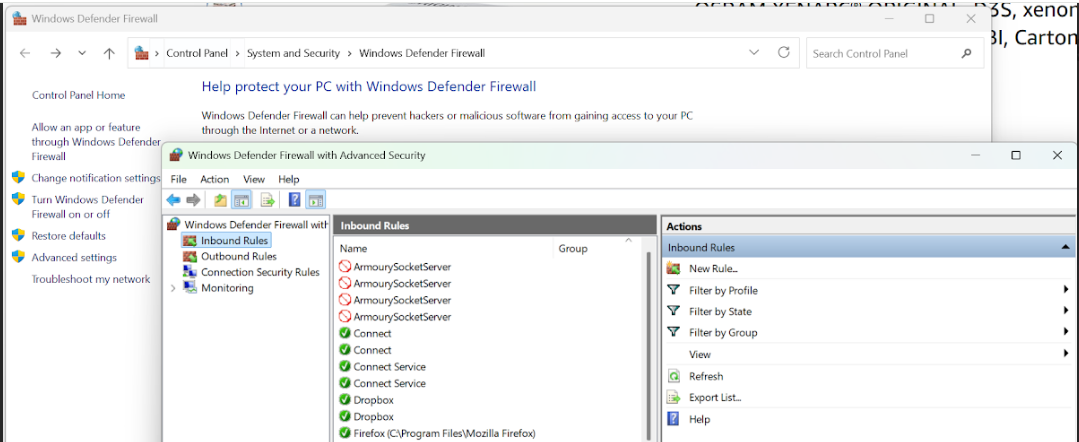
- Open Windows Defender Firewall: press Win + R, type wf.msc, and press Enter (this opens Windows Defender Firewall with Advanced Security).
- In the left panel, click Inbound Rules.
- In the right panel, click New Rule.
- Configure the new inbound rule for the local 8007 and 3260 ports.
- Configure and apply the rule.