Article ID: kb10164Last Modified: 06-Oct-2026
Invalid Deduplication Data Detected (code 2539)
Situation
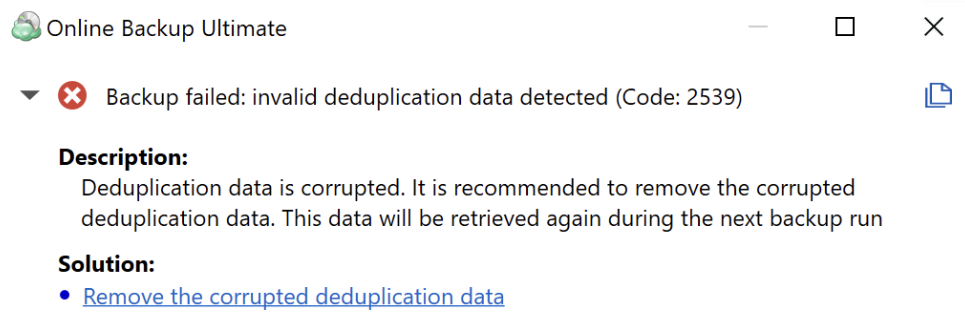
A backup plan failed with the following error message: Backup failed: invalid deduplication data detected.
Cause
This error will be reported when the deduplication database of the generation becomes corrupted for any reason.
Solution
Click the Remove the corrupted deduplication data solution in the error message to delete the corrupted deduplication database for the affected generation.
Resume normal backup operations. The first backup after deleting the deduplication database may be larger than usual. Backup Agent will rebuild the database during this process. Normal deduplication efficiency will be restored.
Once the older backup generation is purged according to your retention policy, normal backup size will be restored.