Security features of MSP360 (CloudBerry)
Brief description of current security features in Managed Backup Service and Backup agent.
MBS Console
Two-Factor Authentication
To minimize penetration risk, we implemented 2FA. You can enable it in the General settings section.
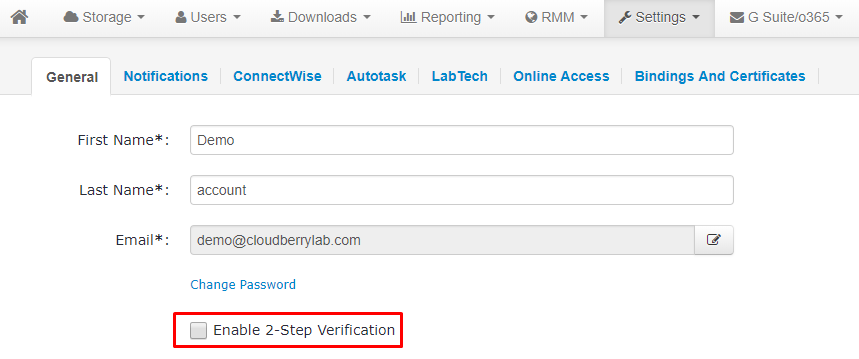
The 2FA option is available for root accounts and sub-administrators.
SSL/TLS
We use SSL within our environment. If you're concerned about overall server security, you can always check our servers from outside with vulnerability assessment tools, like SSL Labs by QualysGuard. Test results can be found at the following links:
https://www.ssllabs.com/ssltest/analyze.html?d=mspbackups.com
https://www.ssllabs.com/ssltest/analyze.html?d=mbs.cloudberrylab.com
Backup agent
Data in transit encryption
During data transfers, we encrypt data with SSL/TLS protocols.
On-site encrytion
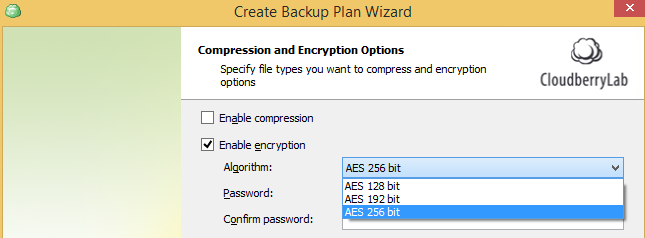
MSP360 (CloudBerry) is able to encrypt data before sending it to the cloud (it can be encrypted with the AES algorithm with a key length of 128-256 bits).
Server-side encryption
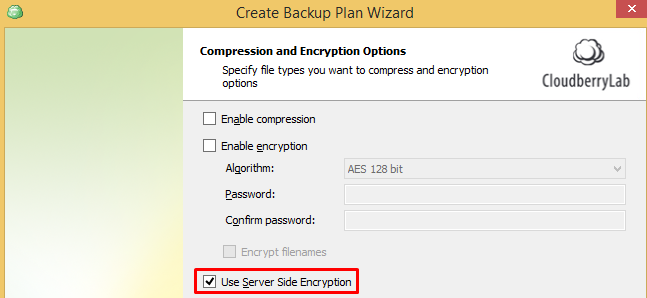
MSP360 (CloudBerry) agent supports AWS S3 encryption REST API.
Temporary security credentials
Our software supports temporary security credentials using the AWS Security Token Service API. These credentials have a limited lifetime, which means that even in case of a security breach, they can't be used for any valuable period of time.
Assume role
Using AWS Assume Role, MSP360 (CloudBerry) Backup gains cross-account access. Assuming a role gives the user an opportunity to have one set of long-term credentials in one account and use temporary security credentials to access all the other accounts.